Hakeem Mobile Application
Explore key features of the patient portal by Qatar Red Crescent Society (QRCS)
About Hakeem
Hakeem is a digital health platform developed and operated by Qatar Red Crescent Society (QRCS) to provide patients with secure, convenient access to their healthcare information and services.
The application is designed to simplify the patient journey by allowing users to manage appointments, review medical records, and stay informed about their health anytime and anywhere using their mobile devices.
Through integration with official healthcare systems, Hakeem enables patients to view vital signs, laboratory and radiology results, active medications, and clinical reports in a clear and user-friendly format.
In addition to clinical data, the application supports communication and engagement by offering features such as feedback and suggestions, health education content, and direct access to QRCS health center contact information.
Hakeem prioritizes data privacy and security, ensuring that all personal and medical information is handled in accordance with applicable healthcare regulations and QRCS data protection standards.
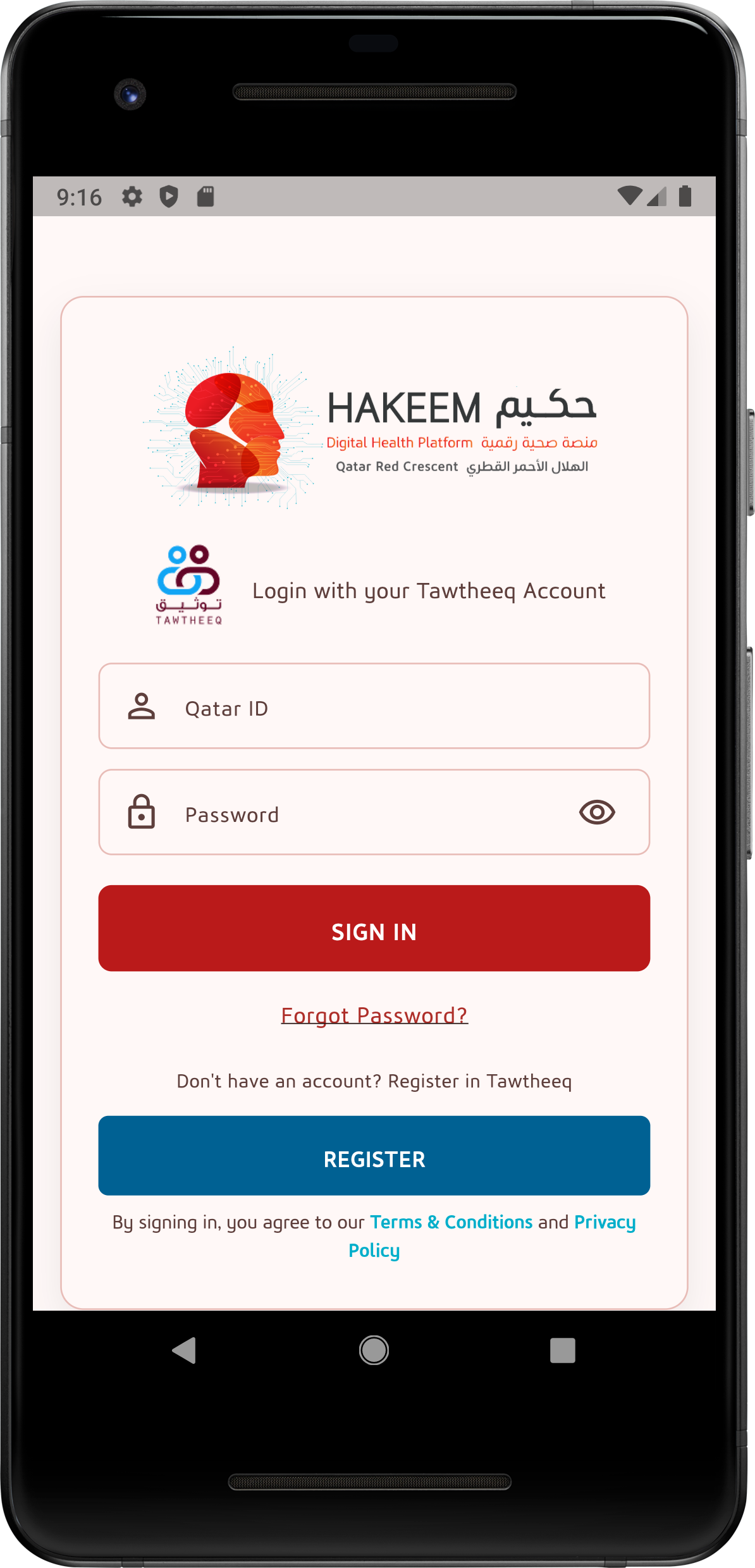
Secure Login
Patients access the Hakeem App using their Tawtheeq (National Authentication System) credentials, ensuring secure and authorized access to personal health information.
- Qatar ID based login
- Password recovery support
- Official government authentication
Home Dashboard
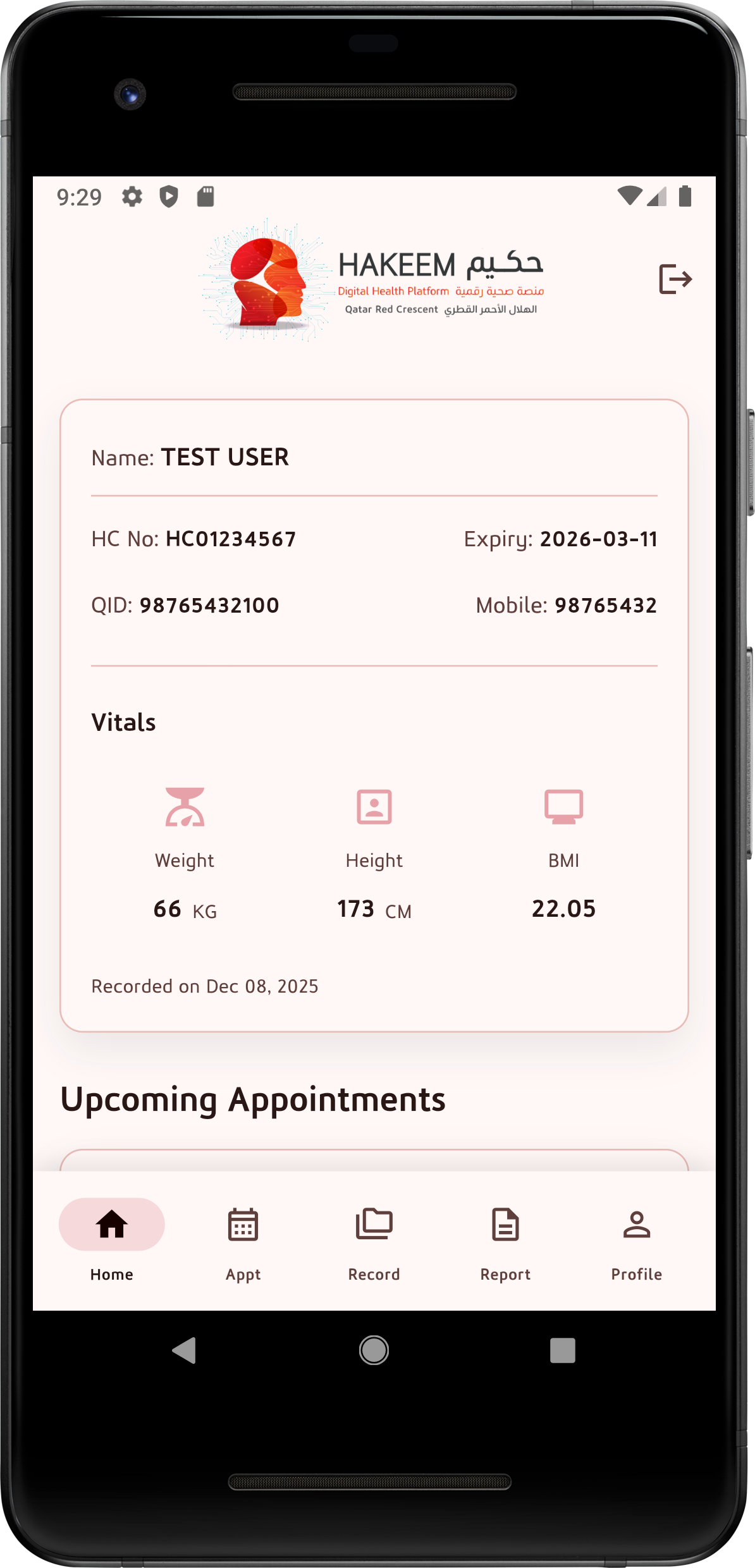
The Home screen provides a personalized overview including patient details, health card validity, vital measurements, and upcoming appointments.
- Patient profile summary
- Vitals snapshot (BMI, weight, height)
- Quick navigation to services
Appointments
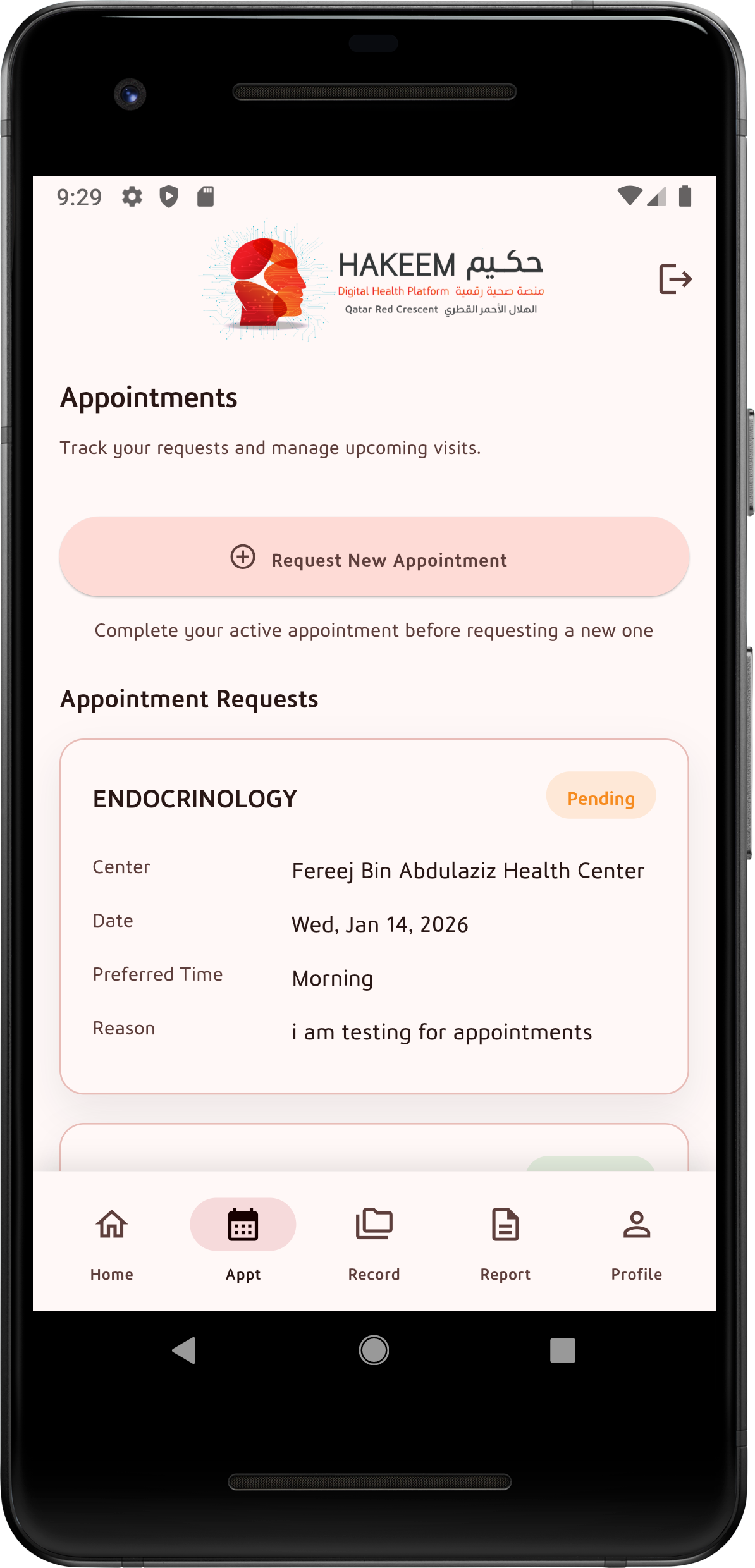
Patients can request new appointments and track the status of existing ones, helping them manage upcoming visits efficiently.
- Request new appointments
- View appointment status
- See center, date, and preferred time
Health Records
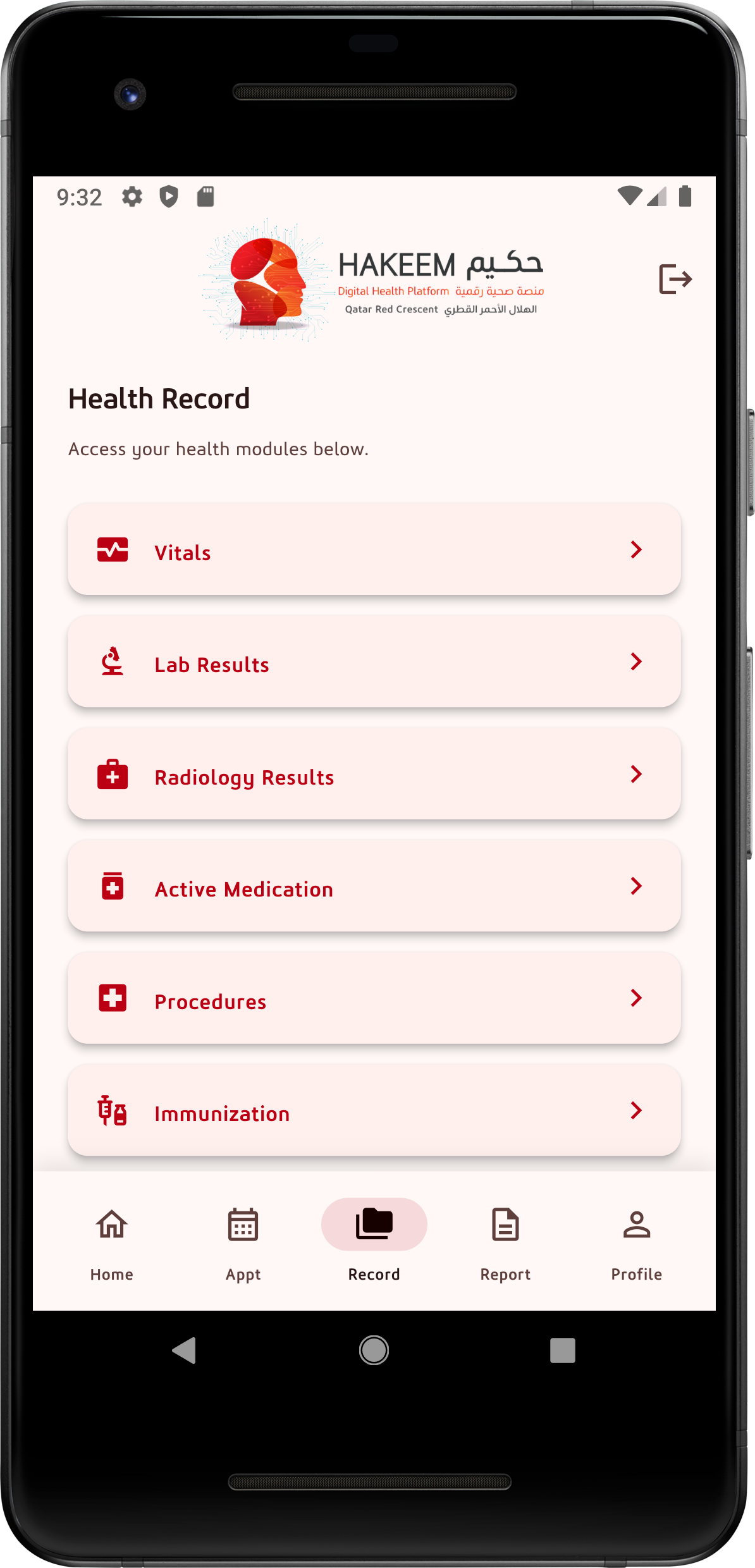
The Health Record section organizes medical information into structured modules, allowing patients to quickly access specific clinical data.
- Lab & radiology results
- Medications and procedures
- Immunization history
Vitals
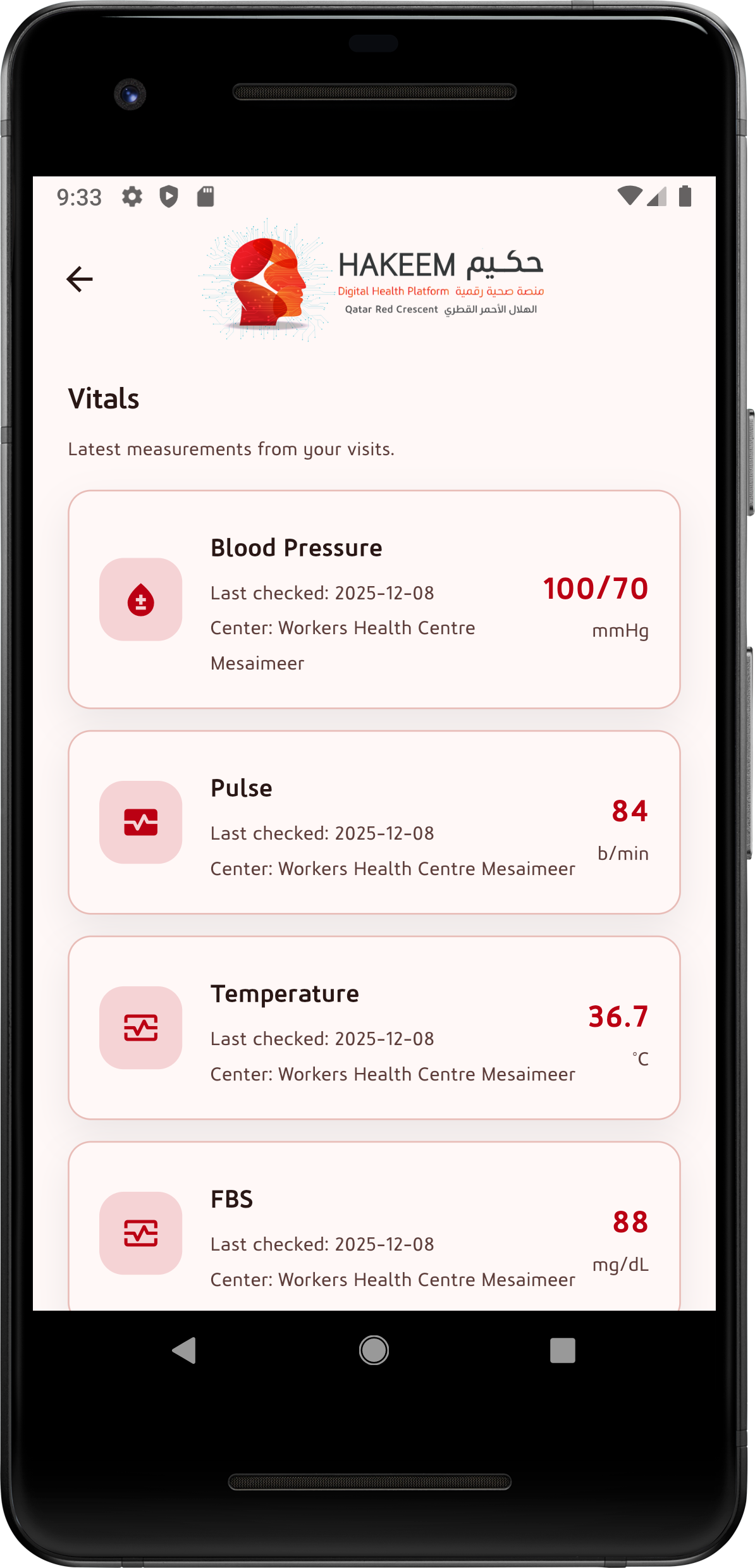
The Vitals screen displays the latest measurements recorded during clinic visits, helping patients monitor key health indicators.
- Blood pressure, pulse, temperature
- Blood sugar (FBS)
- Date and health center of measurement
Vitals – Detailed Measurements
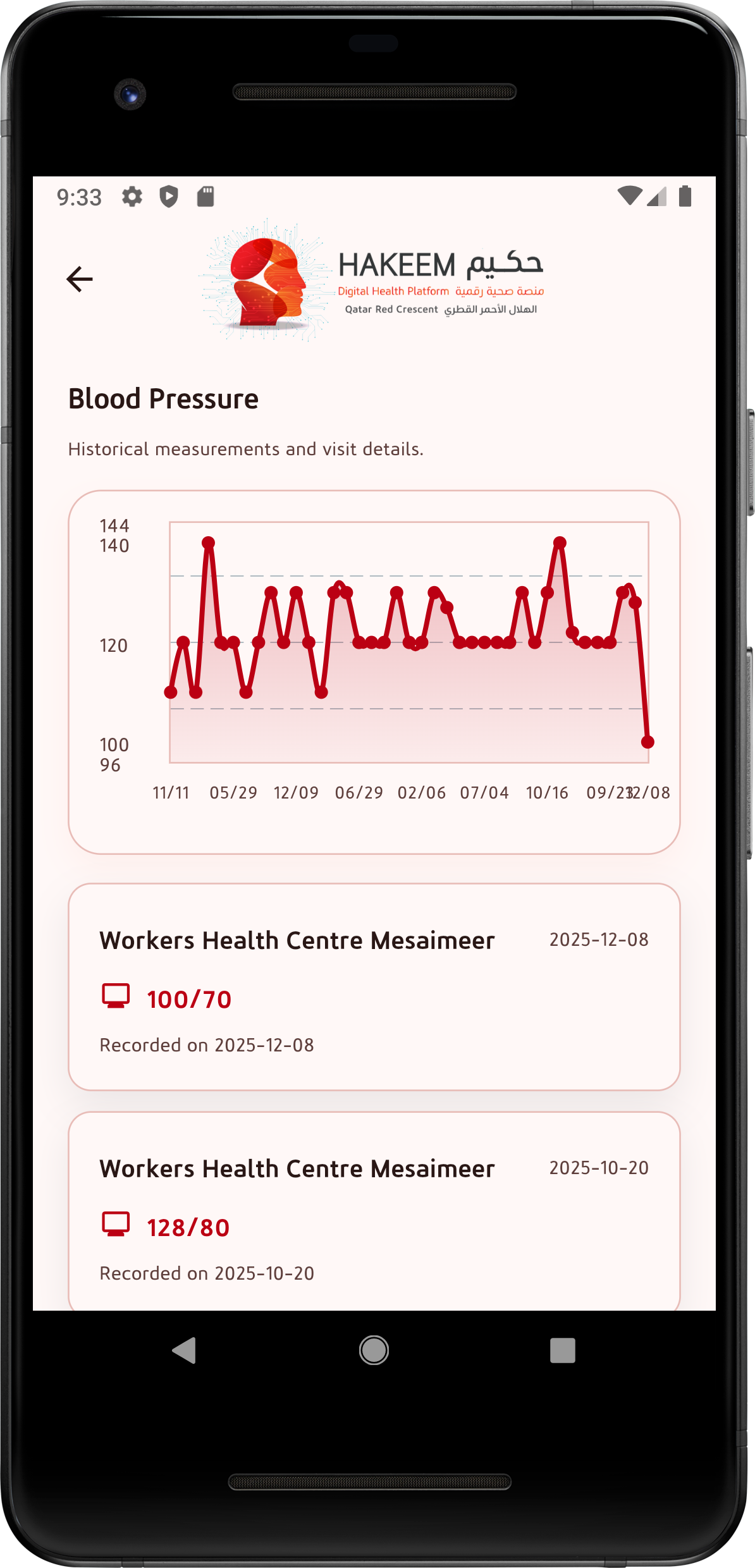
The detailed vitals view allows patients to review individual health measurements recorded during their clinic visits. Each vital sign includes historical trends and visit-specific details to help users understand changes over time.
- Blood pressure, pulse, temperature, and blood sugar
- Graphical trends for historical comparison
- Measurement date and health center reference
Laboratory Results
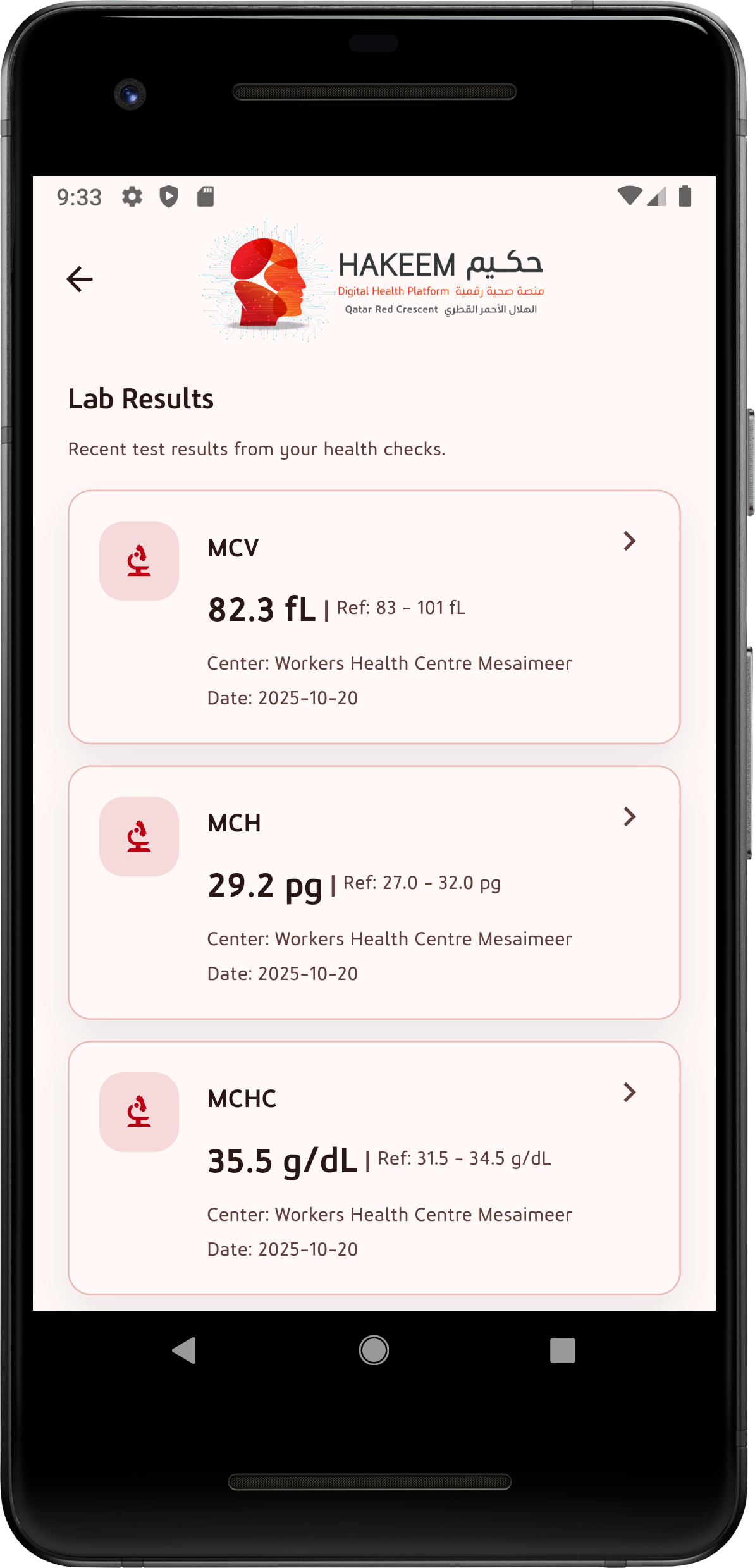
The Lab Results section provides patients with access to recent laboratory test outcomes in a structured and easy-to-read format. Each result includes reference ranges to help users understand their values.
- Clear test names and measured values
- Reference ranges displayed alongside results
- Date and health center where tests were performed
Lab Result Details
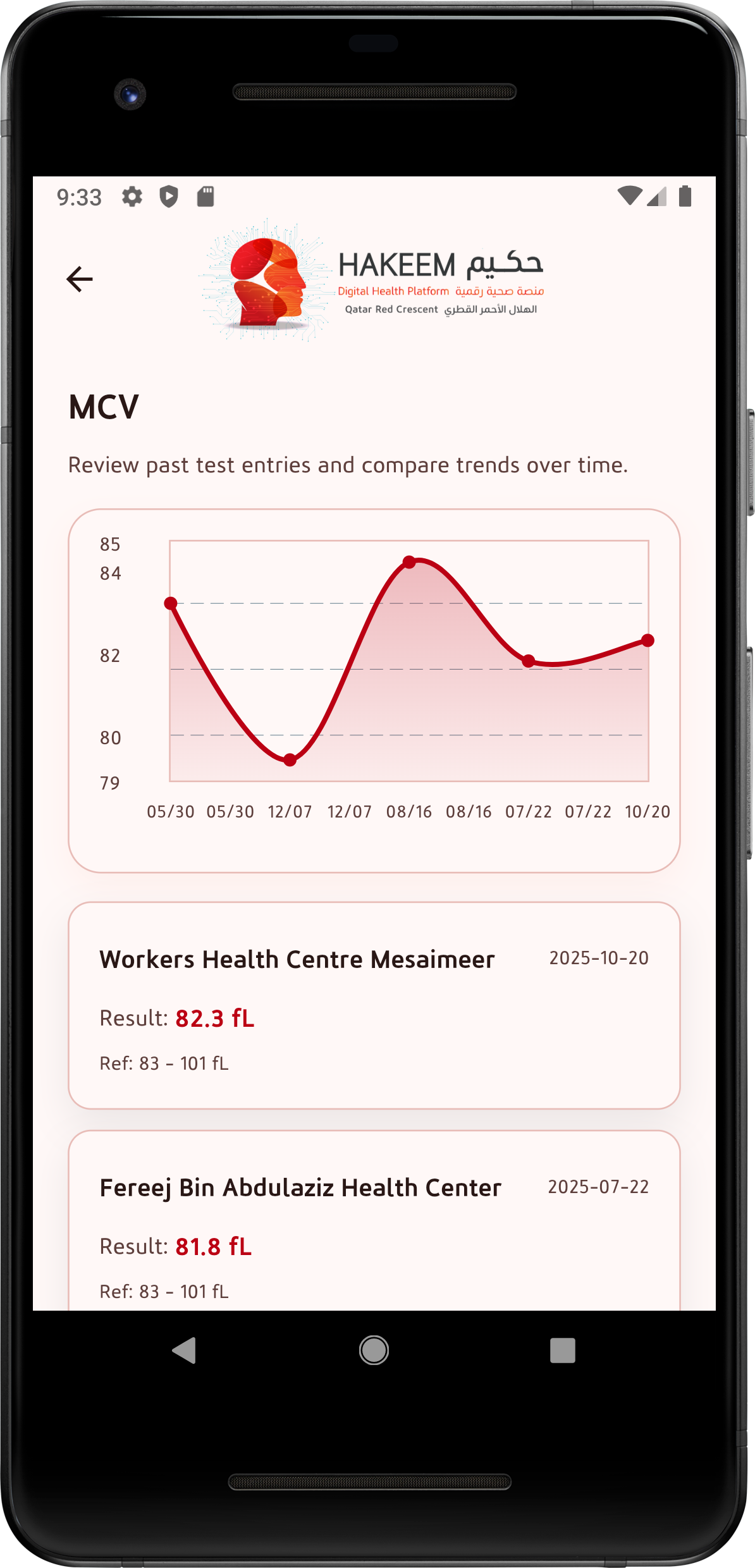
Patients can view detailed laboratory reports with historical trends to compare results over time. This view supports better awareness of long-term health patterns.
- Graphical trend analysis
- Individual test result history
- Reference range comparison
Radiology Results
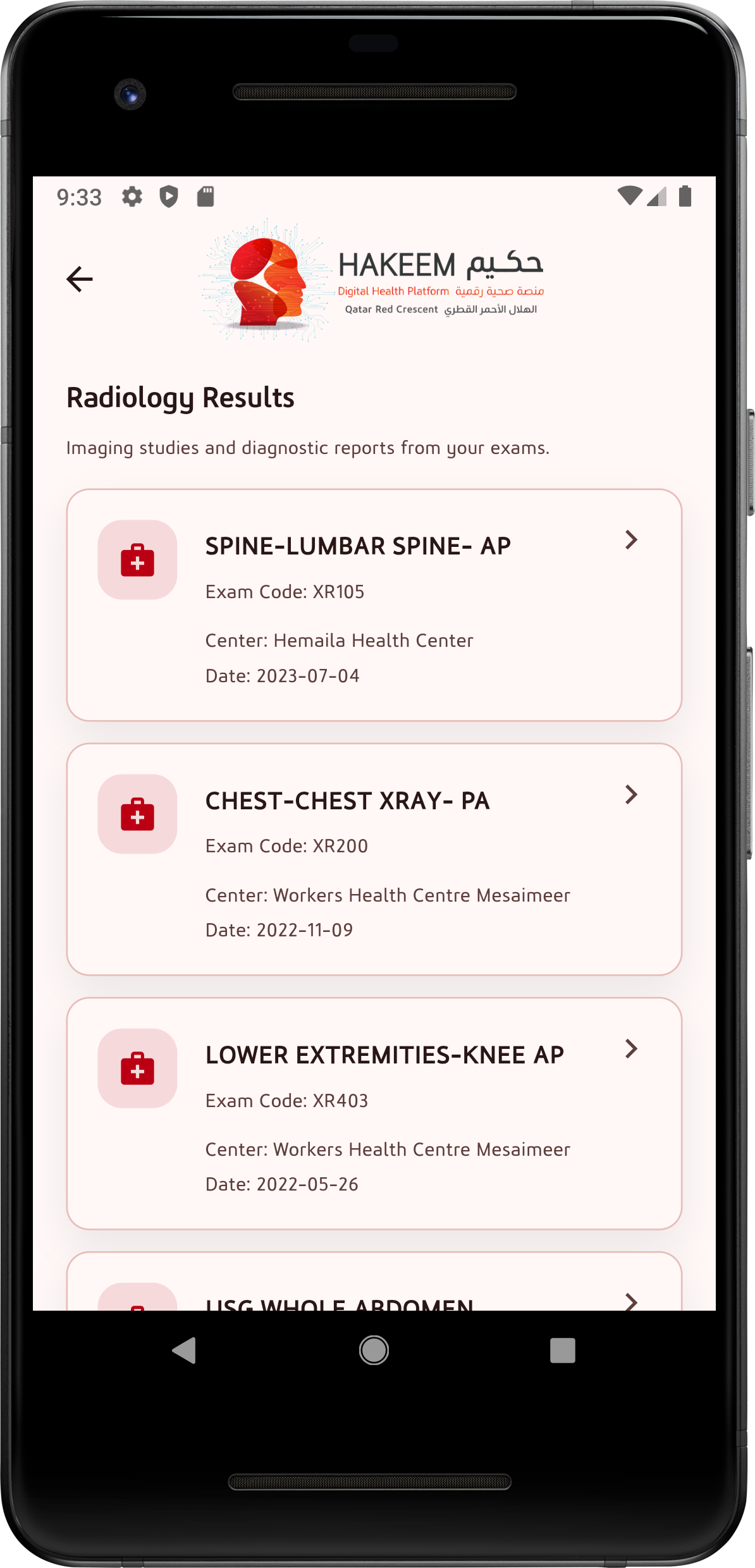
The Radiology section lists imaging studies performed during patient visits, allowing users to review diagnostic examinations and their associated reports.
- X-ray and imaging study listings
- Exam codes and study types
- Health center and examination date
Radiology Report Details
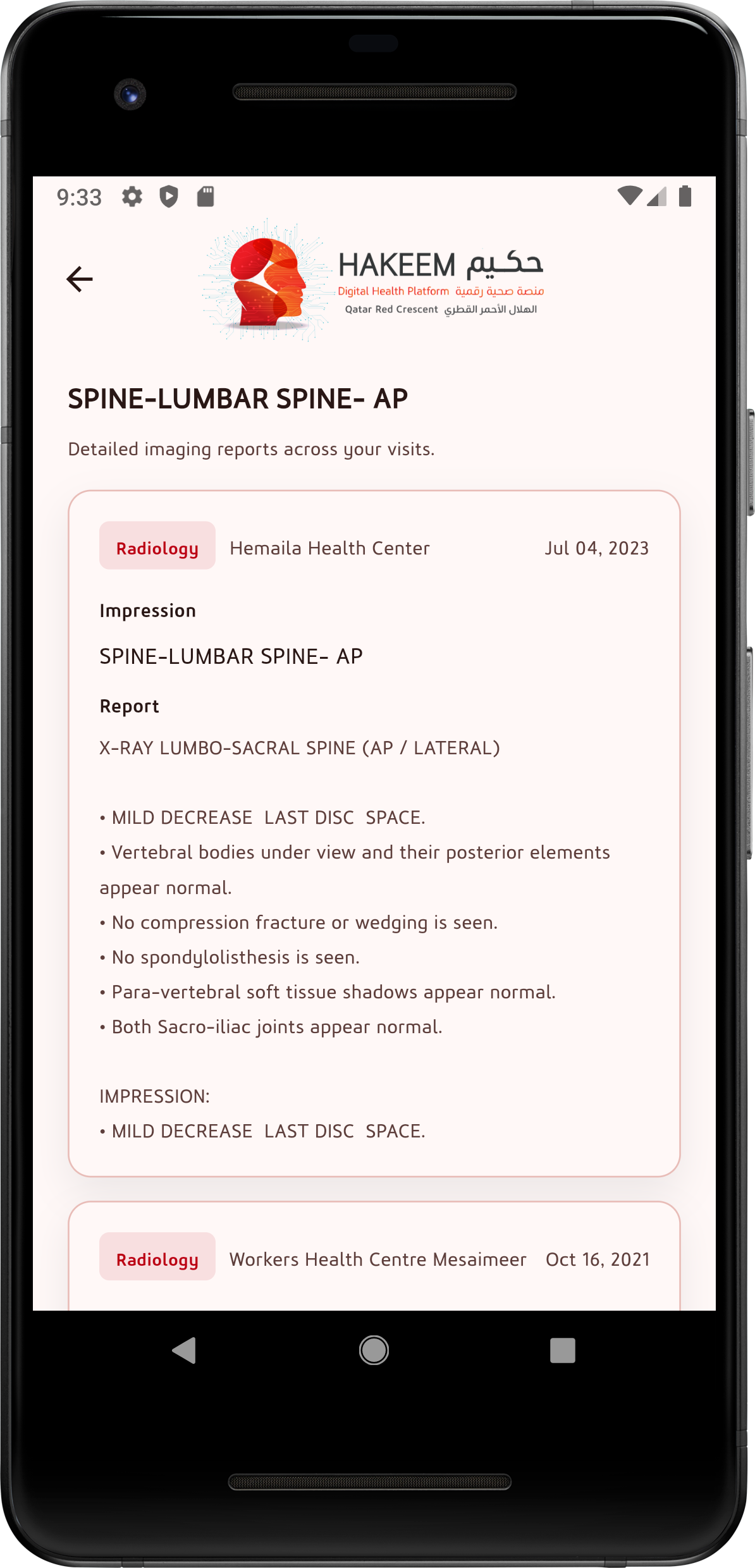
Detailed radiology reports provide clinical impressions and findings from imaging studies. Reports are presented clearly to support patient understanding and follow-up discussions with healthcare providers.
- Diagnostic impressions and findings
- Structured report format
- Historical imaging records per center
Medications
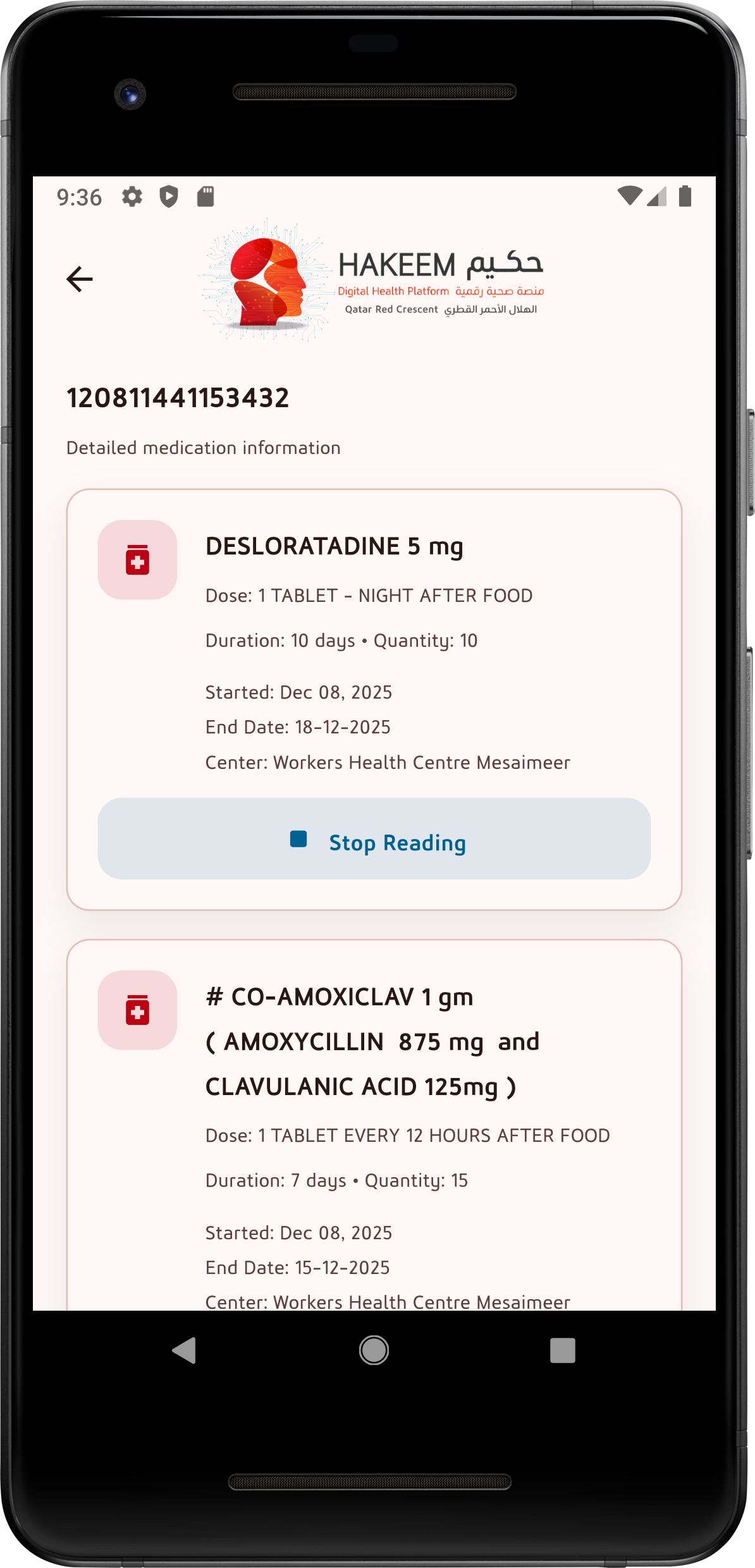
The Medications section presents detailed information about prescribed medicines, including dosage instructions, duration, start and end dates, and the issuing health center. This helps patients follow treatment plans correctly.
- Medication name, strength, and dosage instructions
- Duration and quantity details
- Start/end dates and health center reference
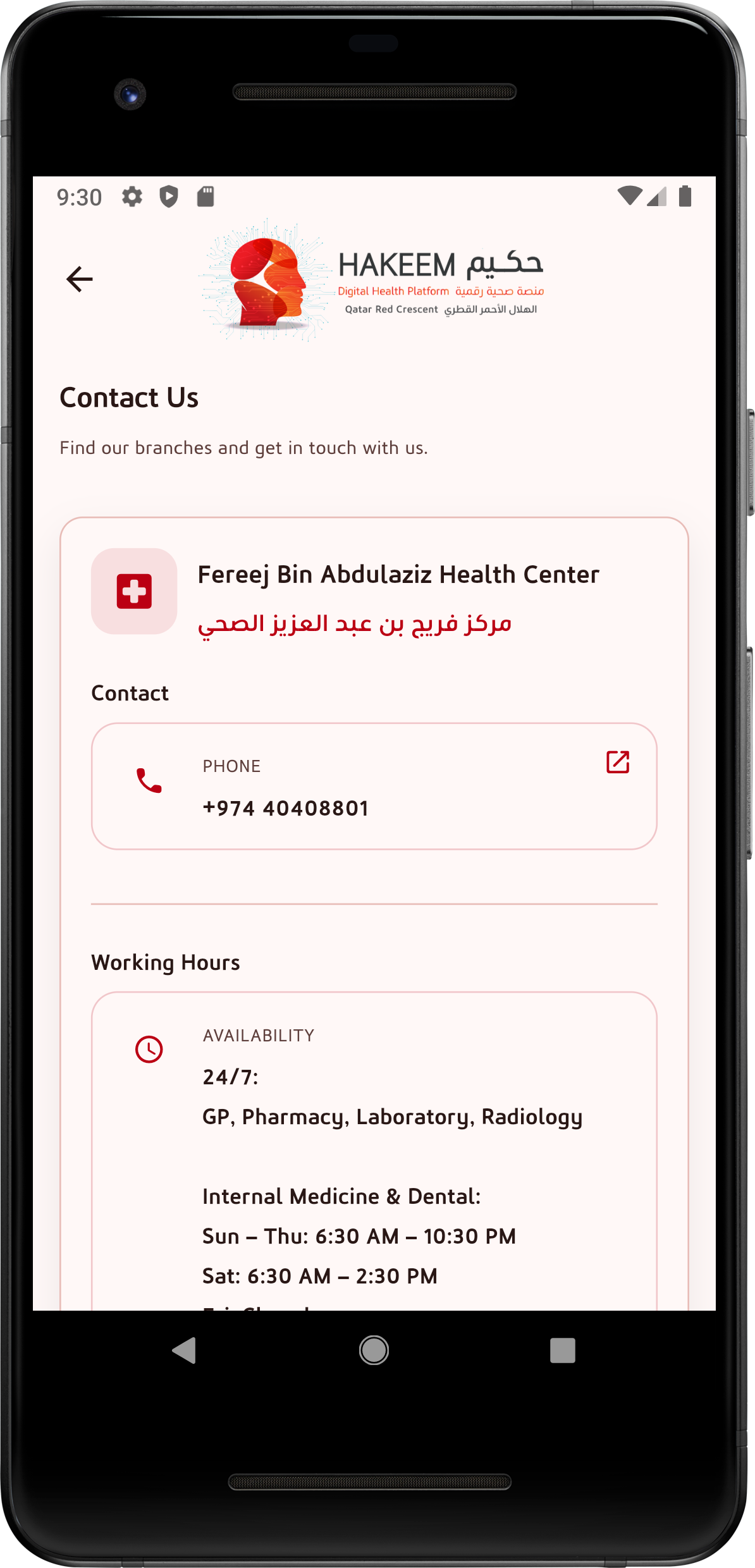
Contact Us
The Contact Us section helps patients quickly find QRCS health centers and reach the correct team. It provides key contact details and branch working hours, so users know where to go and when services are available.
- Health center name in English & Arabic
- Direct phone access from the app
- Working hours and service availability
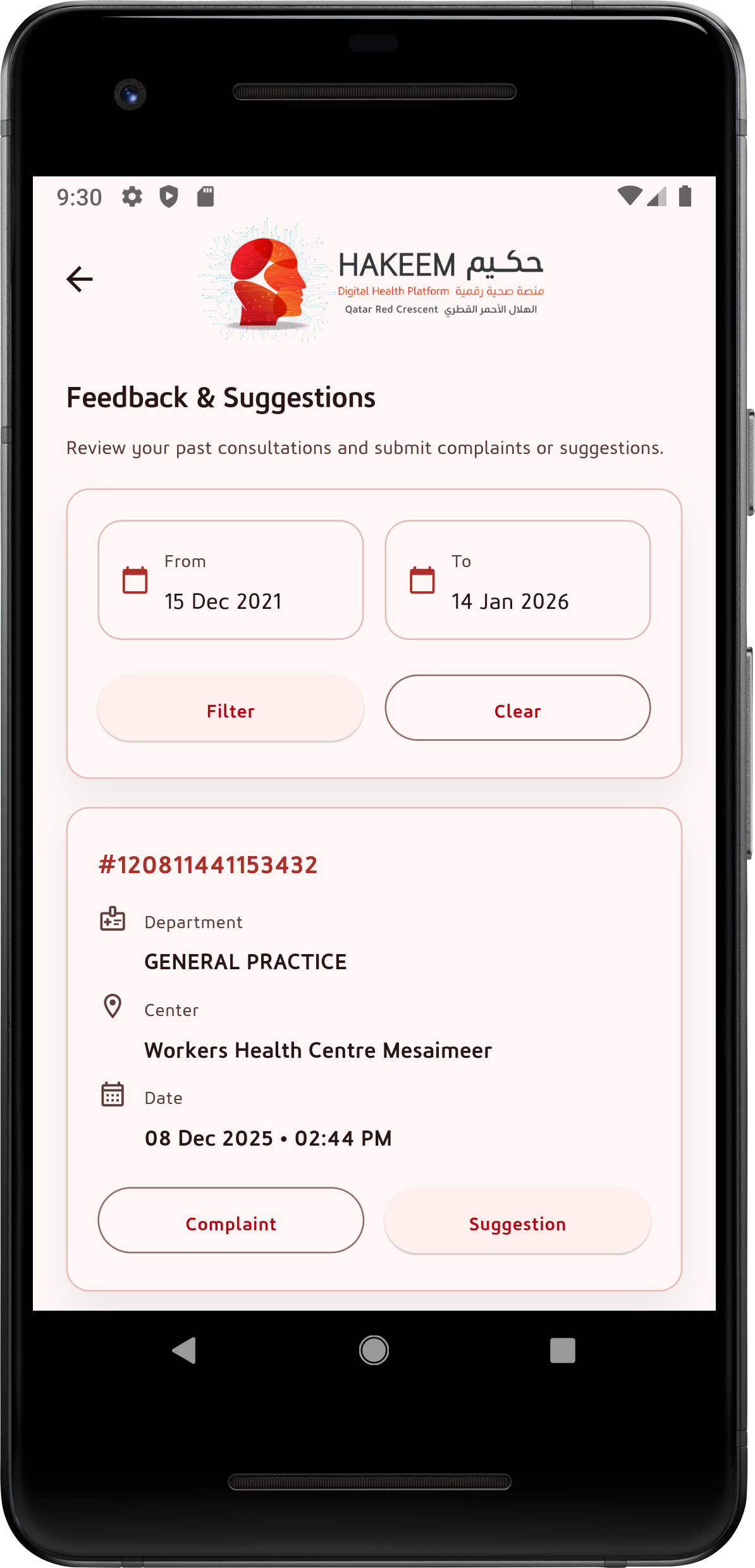
Feedback & Suggestions
This feature allows patients to review past consultations and submit feedback in a structured way. Users can filter by date and raise either a complaint or a suggestion related to their visit.
- Filter by date range for previous consultations
- Submit complaints or suggestions
- Includes department, center, and visit date details
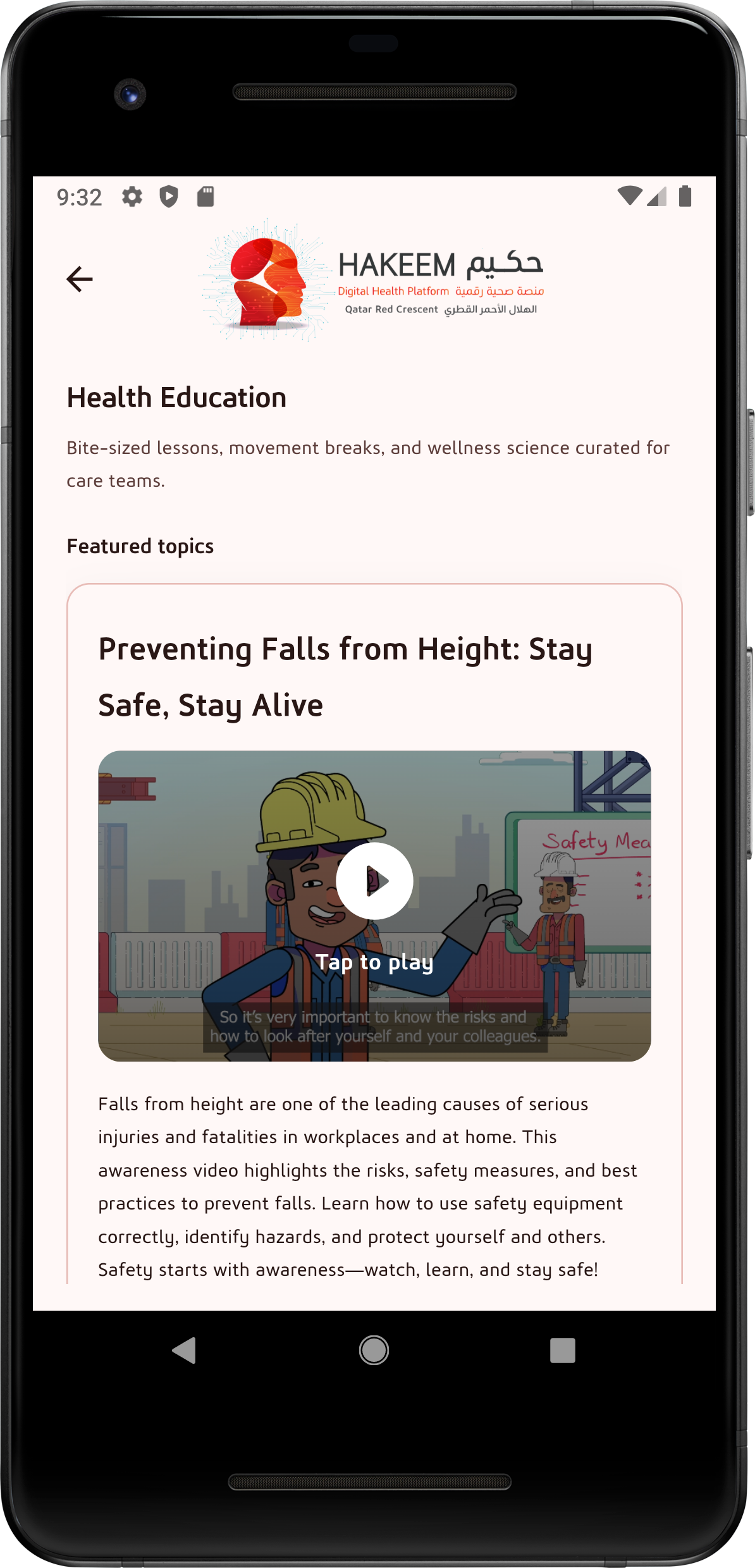
Health Education
The Health Education section provides bite-sized awareness content, videos, and learning materials to support healthy habits and patient knowledge. Topics are presented in a simple, mobile-friendly format.
- Educational videos and featured topics
- Clear descriptions to guide users
- Supports awareness and prevention